
Like the song? You can tag it
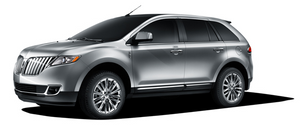
Also new on the 2011 Lincoln MKX is the world's first use of iTunes® Tagging in an available factory-installed HD Radio™ receiver. Enabled by the available Voice-Activated Navigation System through SYNC, iTunes Tagging provides customers with the ability to "capture" a song they hear on the HD Radio receiver for later purchase from iTunes. With a simple push of a "TAG" button on the radio display, the song information will be stored in the radio's memory.
Once a song is tagged and customers dock their iPod to the SYNC system, the "tagged" song information will transfer to that iPod. When the iPod is then synced to iTunes, a playlist of tagged songs will appear. Up to 100 tags on SYNC can be stored until the iPod is connected. When an iPod is connected, the tags are transferred from SYNC to the iPod. Customers then can preview, purchase and download tagged songs from the iTunes Store, if they so choose.
One significant benefit of HD Radio technology is that the sound quality of the broadcast is dramatically better because of the digital transmission - FM sounds like a CD and AM sounds like today's FM broadcasts. Plus, unlike analog broadcasts, digital broadcasts aren't susceptible to interference, fadeout and other issues.
See also:
Cabin air filter
Your vehicle is equipped with a cabin air filter, located behind the glove
box. The particulate air filtration system is designed to reduce the
concentration of airborne particles such as dust, sp ...
Auto high beams
During nighttime driving, the automatic high beam system automatically
turns on your high beams if it is dark enough and no other traffic is
present. When it detects an approaching vehicle’s headl ...
Front passenger sensing system
The front passenger sensing system is designed to meet the regulatory
requirements of Federal Motor Vehicle Safety Standard (FMVSS) 208
and is designed to disable (will not inflate) the front pass ...