
Like the song? You can tag it
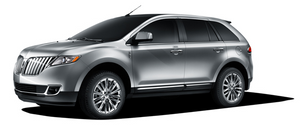
Also new on the 2011 Lincoln MKX is the world's first use of iTunes® Tagging in an available factory-installed HD Radio™ receiver. Enabled by the available Voice-Activated Navigation System through SYNC, iTunes Tagging provides customers with the ability to "capture" a song they hear on the HD Radio receiver for later purchase from iTunes. With a simple push of a "TAG" button on the radio display, the song information will be stored in the radio's memory.
Once a song is tagged and customers dock their iPod to the SYNC system, the "tagged" song information will transfer to that iPod. When the iPod is then synced to iTunes, a playlist of tagged songs will appear. Up to 100 tags on SYNC can be stored until the iPod is connected. When an iPod is connected, the tags are transferred from SYNC to the iPod. Customers then can preview, purchase and download tagged songs from the iTunes Store, if they so choose.
One significant benefit of HD Radio technology is that the sound quality of the broadcast is dramatically better because of the digital transmission - FM sounds like a CD and AM sounds like today's FM broadcasts. Plus, unlike analog broadcasts, digital broadcasts aren't susceptible to interference, fadeout and other issues.
See also:
Safety Canopy System
WARNING: Do not place
objects or mount equipment
on or near the headliner at the
siderail that may come into
contact with a deploying Safety
Canopy . Failure to follow these
instructions m ...
BLIS -CTA fault operation
If the BLIS -CTA senses a fault on either the left or right sensor, the
BLIS alert indicator will go ON and remain ON and the message center
will display BLIND SPOT SYSTEM FAULT or CROSS TRAFFIC S ...
Vehicle loading – with and without a trailer
This section will guide you in the proper loading of your vehicle and/or
trailer, to keep your loaded vehicle weight within its design rating
capability, with or without a trailer. Properly loadin ...